Home / Features / A bulk SEO editor built for implementation
Core workspace

A bulk SEO editor built for implementation

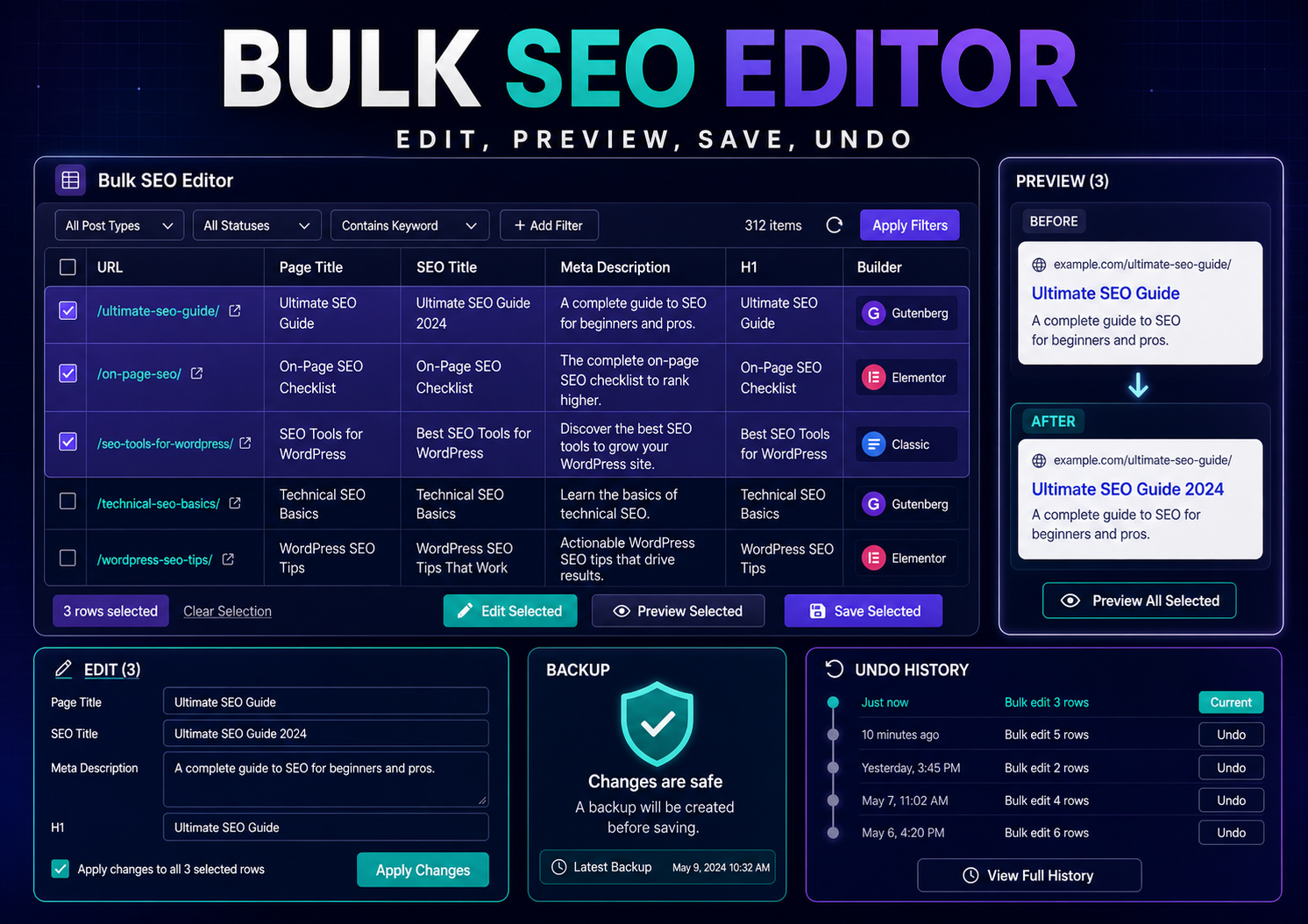
Scan WordPress content into one spreadsheet-style workspace, stage approved changes, preview exact fields, and save safely in chunks.

Bulk SEO Studio is the implementation layer. It works alongside compatible SEO plugins rather than replacing them.

Bulk SEO Studio
Bulk EditorLive product view
Search title…Any builder ▾Any status ▾Scan Site
/services/seo-audits/Technical SEO AuditsElementor
/blog/internal-linking/Internal Linking GuideGutenberg
/tools/schema-generator/Schema Markup GeneratorClassic
Crystal-clear at every size
Bulk Editor with filters, editable SEO fields, builder labels, and Preview Changes.
The implementation bottleneck

Opening pages one by one is not a scalable implementation workflow.

Bulk Editor brings the URLs, builders, titles, statuses, metadata, and supported headings into one controlled workspace.

What this workflow supports

  • Title, status, SEO title, and meta description editing
  • Gutenberg and Classic headings
  • Mapped Elementor heading widgets in Pro
  • Filters for title, status, post type, builder, URL, and slug
  • Paste a URL list instead of scanning
  • Filtered CSV export and Pro CSV import
  • Unsaved-edit navigation warning
Workflow

From approved work to a reviewed WordPress change

1

Choose scope

Scan configured post types or paste a URL list.

2

Filter the grid

Narrow by status, post type, builder, URL, or slug.

3

Edit approved fields

Update only the fields included in the implementation plan.

4

Preview

Review the complete before-and-after set.

5

Confirm and save

Apply approved fields in chunks with backups.

6

Review History

Verify results and Undo when needed.

Bulk SEO Studio is not a strategy or ranking platform. It is the controlled implementation workspace for changes your team already approved.
FAQ

Frequently asked questions

No. Edits remain staged until Preview and confirmation.

Yes. Paste a URL list instead of scanning the whole site.

Settings can include configured standard post types and public custom post types.

Stop implementing SEO one page at a time.

Keep your strategy. Keep your compatible SEO plugin. Add a controlled WordPress implementation workflow.