
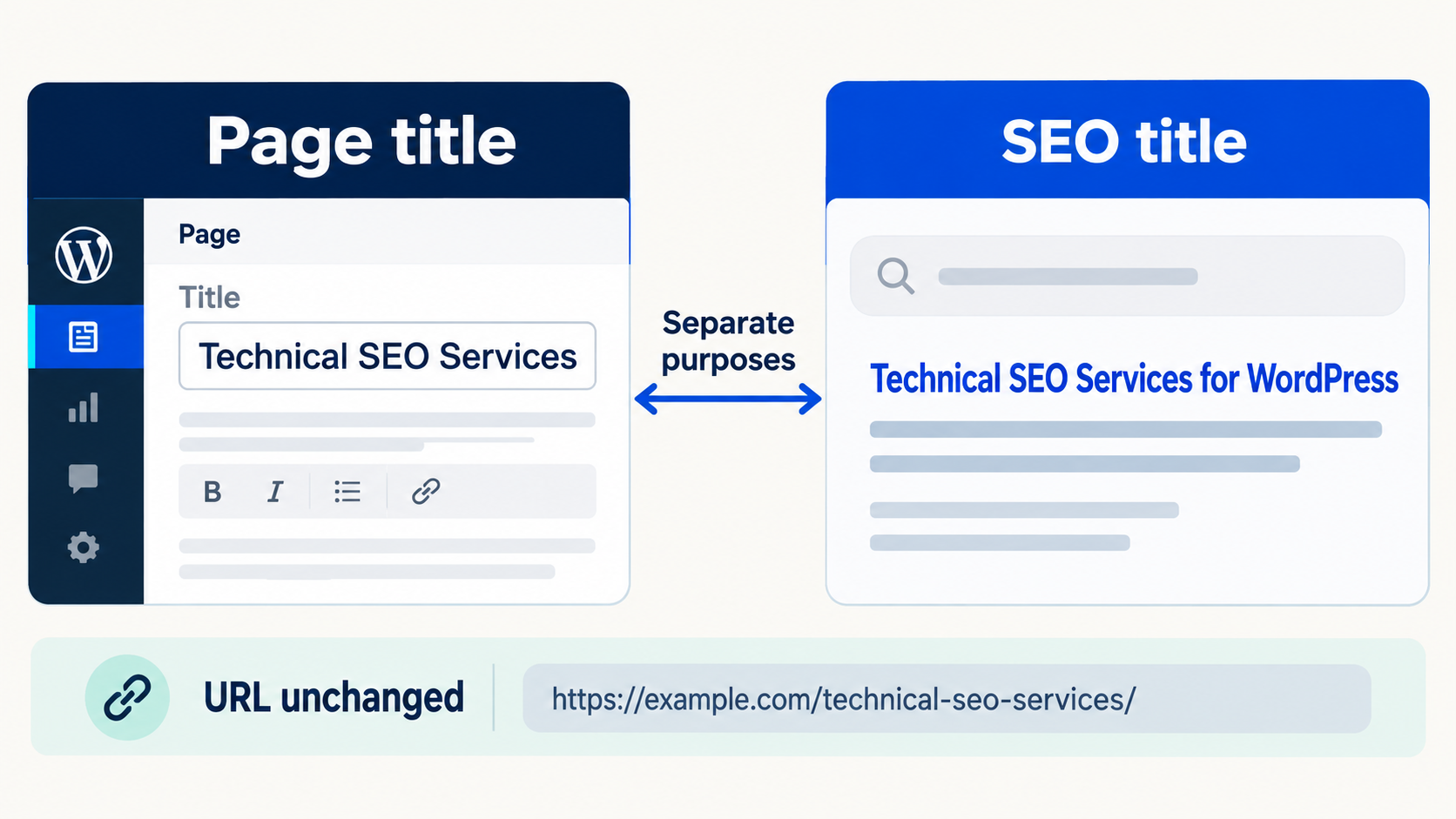
The WordPress page title is a core content field used by the admin and often by the theme as the visible H1 or navigation label. The SEO title is a separate value managed by an SEO plugin for the HTML title element and search presentation. Changing either field does not automatically change the URL slug, and Google may still create a different title link from page signals.
The six fields people often call the title
| Field | Where it appears | What a change can affect |
|---|---|---|
| WordPress page title | Editor, admin lists, theme templates, feeds, and sometimes navigation | The visible page identity and often the H1. |
| H1 heading | Main content or builder template | The prominent on-page heading. It may be generated from the page title. |
| SEO title | SEO plugin metadata and HTML title output | The preferred search-facing title signal and browser-tab wording. |
| URL slug | The page address | Links, redirects, canonicals, analytics continuity, and crawl behavior. |
| Social title | Open Graph or network-specific metadata | How a shared link may be labelled on social platforms. |
| Google title link | Google Search result | The title Google chooses for a particular result and query. |
The WordPress REST API exposes the post or page title as a core field. See the WordPress posts REST reference. SEO plugins store and render their supported metadata separately. This is why a bulk editor can offer both a WordPress title column and an SEO title column without those columns meaning the same thing.
What changes when you edit each field
Changing the WordPress page title
This can change the label in the WordPress admin and any theme or builder element that dynamically reads the post title. It can also affect breadcrumbs, cards, feeds, related-content modules, and navigation when those components use the title automatically. It normally does not change the existing slug unless a user or plugin explicitly changes it.
Changing the SEO title
This changes the plugin-owned search title value or template input. It should not rename the WordPress page, change the slug, or rewrite the visible H1 by itself. The final HTML output still depends on the active plugin, its templates, variables, and whether another plugin or theme is also printing a title element.
Changing the H1
This changes prominent on-page content. In Gutenberg or Classic content, the heading may be directly editable. In Elementor or another builder, it may live inside structured widget data. On some templates, the H1 is generated automatically from the WordPress title and cannot be treated as a separate text field without changing the template.
Changing the slug
This changes the URL and can create a much larger implementation task. It may require redirects, internal-link updates, canonical checks, sitemap refreshes, analytics annotations, and external-link considerations. A title rewrite is not permission to rewrite URLs.
Why Google may show a different title
Google says title links can be generated from the HTML title element, the main visual title, headings such as H1, prominent text, anchor text, and other sources. It recommends descriptive, concise title elements and warns against repeated boilerplate and keyword stuffing. Read Google Search Central guidance for title links.
A different search title is not proof that the SEO plugin failed to save. First inspect the live HTML. Then review whether the title, H1, page purpose, and internal anchor text disagree. Search presentation can also vary by query and over time.
A practical decision framework
| Goal | Field to review first | Safety check |
|---|---|---|
| Rename the page everywhere | WordPress page title | Inspect templates, menus, breadcrumbs, cards, and dynamic headings. |
| Improve the preferred search title only | SEO title | Verify the active plugin owns the field and the live title element updates. |
| Improve the visible main heading | H1 or dynamic title source | Identify whether the theme, Gutenberg, or a builder owns it. |
| Shorten or restructure the URL | Slug | Plan redirects and internal-link updates as a separate migration. |
| Change social share wording | Open Graph or social title | Check the network metadata and refreshed preview. |
Worked example
A page is named “Services” in WordPress. Its H1 is a custom Elementor heading: “Technical SEO implementation for WordPress teams.” Rank Math owns the SEO title “WordPress Technical SEO Services | Example Brand,” and the slug is /services/.
- Changing the WordPress title to “Technical SEO Services” may change the admin label, breadcrumbs, and dynamic cards.
- Changing only the Rank Math SEO title should update the preferred title element without renaming the page.
- Changing the Elementor H1 affects the visible page heading but should not alter the slug.
- Changing the slug to
/technical-seo-services/is a URL migration and requires separate checks.
Safe bulk-edit workflow
- Export or scan the approved URLs and preserve the current WordPress title, SEO title, H1 source, and slug.
- Label the requested change by field. Do not put all proposed wording into one generic title column.
- Confirm the active SEO plugin and builder for representative pages.
- Preview current and proposed values side by side.
- Save a small batch with backups and record skipped or unsupported rows.
- Verify the HTML title, visible H1, canonical URL, breadcrumbs, and important internal links.
- Keep the slug unchanged unless the project explicitly includes redirects and URL migration work.
Common mistakes
- Using the WordPress title column when the request was only to change search metadata.
- Replacing a dynamic title template with hard-coded copy across hundreds of pages.
- Changing the slug without redirects because the page title changed.
- Running two SEO plugins that both output title metadata.
- Judging success only from a Google result before checking live HTML and recrawl timing.
Related resources
Frequently asked questions
Does changing the WordPress title change the URL?
Normally no. The slug is a separate field, although users or plugins can explicitly update it. Always verify before and after a bulk operation.
Does changing the SEO title change the H1?
Normally no. The SEO title is plugin metadata, while the H1 comes from the theme, WordPress content, or a builder.
Why is Google not showing my SEO title?
Google can generate a title link from several page signals. Confirm the live title element first, then review consistency, relevance, boilerplate, and recrawl timing.
Should the SEO title and H1 be identical?
They can be similar, but they do not have to be character-for-character identical. Both should accurately describe the same page purpose.
Can Bulk SEO Studio edit both fields?
It can expose supported WordPress and compatible SEO fields within its documented boundaries. Preview the exact selected fields before saving.
See each title field before you save
Use the Freemius-managed Free build to review supported core and SEO fields in one controlled workspace, with Preview and recovery safeguards.