
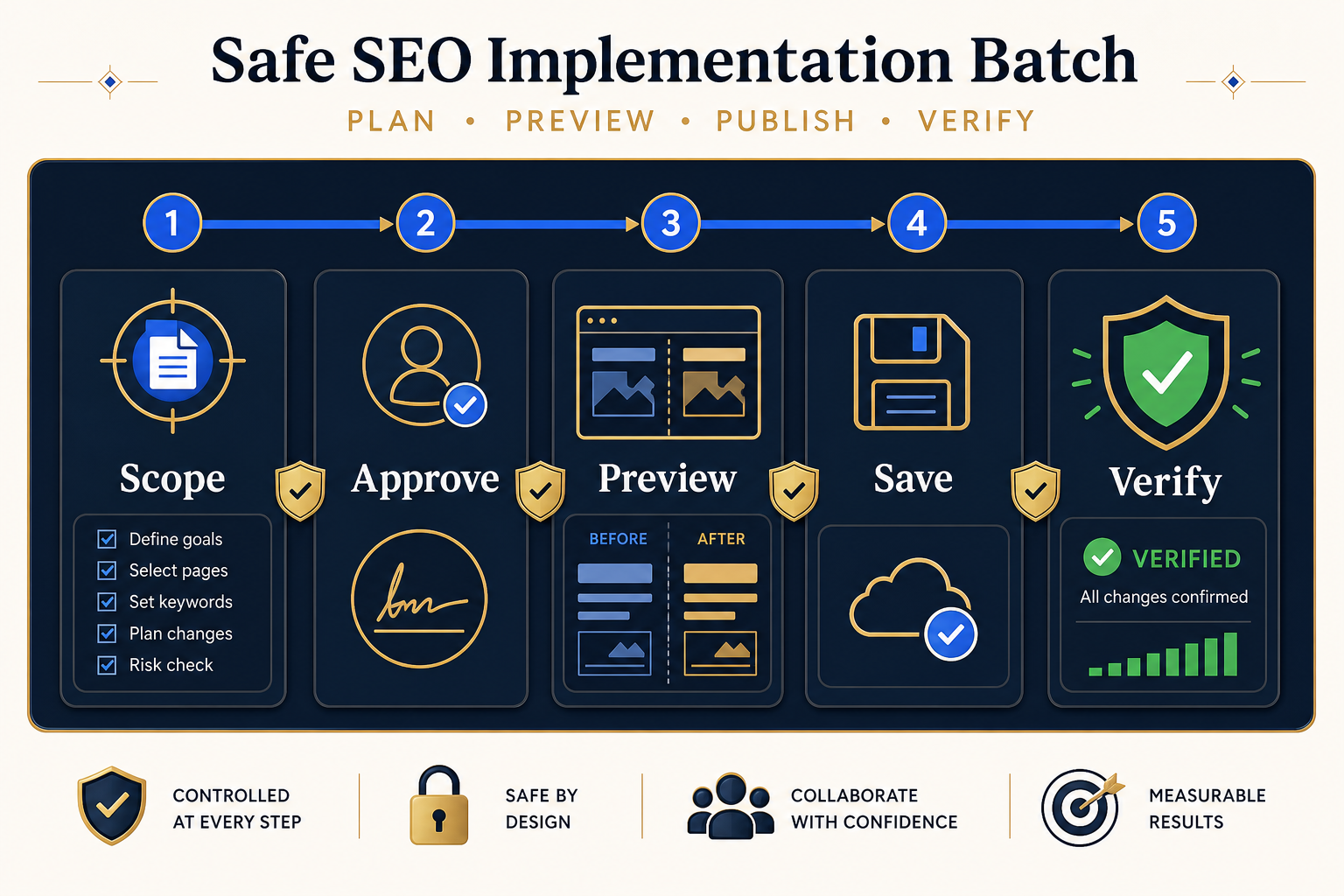
A useful checklist defines the exact URLs and fields, records approval, refreshes current WordPress values, resolves conflicts, previews every proposed change, saves a representative batch with recovery evidence, verifies rendered output, documents exceptions, and only then expands the rollout.
Use the checklist as a release gate
An SEO audit explains what should improve. Implementation changes a production system. The handoff between those jobs needs its own release discipline, especially when one action can affect many URLs. The goal is not to add paperwork. It is to make scope, authority, risk, evidence, and recovery visible before the first write.
This checklist is designed for metadata, WordPress titles, supported headings, plugin-owned schema, and controlled internal-link configuration. Different responsibilities should usually become separate batches because their verification methods and recovery paths are different.
The seven-stage implementation checklist
| Stage | Required evidence | Stop condition |
|---|---|---|
| 1. Scope | Exact URLs, fields, owner, intended outcome | The batch mixes unrelated responsibilities |
| 2. Approve | Final values and dated approval | Comments or alternatives remain unresolved |
| 3. Refresh | Current WordPress values captured again | A live value changed after approval |
| 4. Preview | Current and proposed values compared field by field | A target, value, or owner is uncertain |
| 5. Publish | Representative chunk and pre-write recovery record | Errors or connection failures are unresolved |
| 6. Verify | Rendered output checked across representative templates | Public output is stale or incorrect |
| 7. Record | Result, exceptions, batch reference, and next action | No one owns failed or skipped rows |
1. Define one responsibility
Name the batch according to what it changes, not the campaign it belongs to. For example, “approved product-page meta descriptions” is safer than “August SEO fixes.” Record the target URLs, supported fields, source document, reviewer, implementer, QA owner, and expected result.
- Keep metadata, headings, schema, and internal linking in separate batches when possible.
- Include only the post types and statuses required for the job.
- Exclude redirects, canonicals, template code, or unsupported fields from a general metadata batch.
- Use a stable URL or post ID as the row identity.
2. Freeze approval
Create a dated implementation view that contains only final values. Strategy notes and alternatives can remain in the working document, but the file used for implementation should make approval unambiguous. Decide whether a blank cell means remove the current value or leave it unchanged before import.
3. Refresh the source of truth
Re-scan the target URLs immediately before implementation. A spreadsheet can become stale while editors update WordPress. When the current value differs from the value reviewed during approval, pause that row and resolve the conflict instead of overwriting newer work.
4. Inspect the complete Preview
A useful Preview shows the current and proposed value for every affected field. Check URL matching, plugin ownership, heading position, schema ownership, skipped items, blank values, and unusually large changes. Approval should happen at field level, because one row may contain both safe and uncertain edits.
5. Publish a representative batch
Start with pages that represent the main content types, templates, builders, and SEO integrations in scope. Bulk SEO Studio saves confirmed supported writes in smaller requests and records pre-write values for History and Undo. These records support recovery for the changed fields, but they do not replace a normal site and database backup.
6. Verify what visitors and crawlers receive
Do not finish QA at the WordPress database. Check the rendered page, page source where relevant, and the active SEO plugin output. Purge page, server, optimization, Elementor, and CDN caches when a known-good change is not visible. Google recommends testing structured data with its Rich Results Test and checking rendered HTML when JavaScript affects output.
7. Close the batch with evidence
Record which rows passed, failed, were skipped, or need manual work. Keep the batch identifier, approver, implementation time, sample URLs, cache actions, QA result, and recovery decision together. A closed batch has no ownerless exceptions.
What to verify by change type
| Responsibility | Live verification | Common false positive |
|---|---|---|
| SEO title and description | Rendered head output and active plugin field | Admin value changed but cached HTML is stale |
| Headings | Visible text, source structure, hierarchy, responsive layout | A styled div looks like a heading |
| Schema | Rendered JSON-LD and validation result | External schema is mistaken for plugin-owned schema |
| Internal links | Exact placement, destination, exclusions, cache state | A link exists only in a test preview |
| Status or page title | Public availability, menus, breadcrumbs, templates | The edit affects a navigation label unexpectedly |
When to stop instead of saving
- The live value changed after approval.
- Two plugins or systems appear to own the same output.
- A heading or widget cannot be mapped confidently.
- The Preview includes URLs outside the approved scope.
- The batch has no recovery evidence or QA owner.
- A representative page fails after cache clearing.
- The proposed change depends on a claim that has not been verified.
Related implementation resources
- Implement SEO audit recommendations in WordPress
- Safely bulk edit WordPress SEO
- Preview, History and Undo
- Cache troubleshooting
- Safe implementation guide hub
Frequently asked questions
Should one batch include metadata, headings, schema, and links?
Usually no. Separate responsibilities when their ownership, verification, or recovery methods differ.
Is History a replacement for a full-site backup?
No. History preserves supported pre-write values for confirmed changes. Maintain normal hosting and database backups too.
What happens when WordPress changed after approval?
Pause the affected row, compare the new live value with the approved proposal, and ask the responsible reviewer to confirm the final action.
How large should the first batch be?
Use a small representative group covering the main templates, post types, builders, and integrations in scope.
Does a successful save mean QA is complete?
No. Verify the rendered public output and relevant cache layers before expanding the rollout.
Sources and verification
- Google Search Central: Diagnose and fix JavaScript SEO issues
- Google Rich Results Test
- WordPress documentation: Revisions
Editorial note: This guide was reviewed against the documented Bulk SEO Studio workflow and public Google and WordPress guidance on 31 August 2026. Product-specific limits are stated where they affect implementation decisions.
Turn approved work into a controlled WordPress release
Scope one responsibility, inspect every proposal, keep recovery evidence, and verify what went live.
Explore Preview and Undo