
Product behavior and external claims reviewed August 29, 2026. Review methodology.
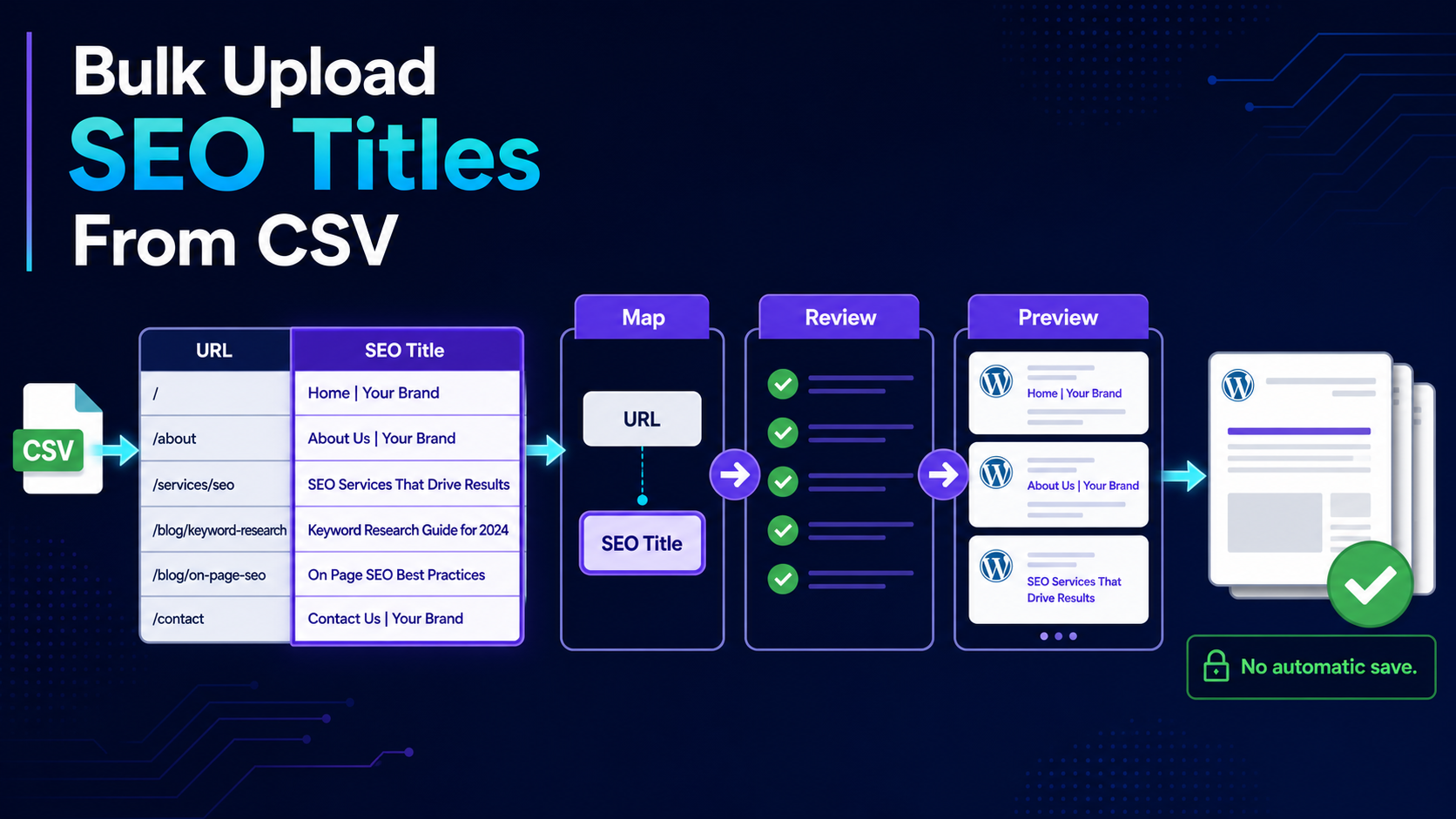
When title tags have already been researched and approved in a spreadsheet, the implementation bottleneck is matching each value to the correct WordPress URL and reviewing the final change set. CSV import reduces repetitive copying without turning the spreadsheet into automatic write authority.
Important: Native .xlsx files are not parsed. Export Excel or Google Sheets data as CSV. Imported values enter Bulk Editor and do not save until mandatory Preview and approval.
The template uses the supported URL and SEO Title headers. Replace the example row with real WordPress URLs and approved titles.
Required CSV structure
Use one row per WordPress page. The URL is the matching key and should be the real canonical WordPress URL. Keep title cells as plain text and preserve the file as UTF-8 CSV.
- URL: the existing WordPress page or post URL
- SEO Title: the approved title-tag value
- One unique URL per row
- No formulas or merged cells
- No native XLSX upload
Step-by-step workflow
1. Prepare the final approval sheet
Remove comments, unresolved alternatives and rows that are not approved for implementation.
2. Export as UTF-8 CSV
Use CSV export from Excel or Google Sheets and keep a copy of the approved source file.
3. Upload and map columns
Map URL to the page identifier and SEO Title to the supported metadata field.
4. Review matched rows
Confirm every URL resolves to the intended WordPress post and investigate unmatched or duplicate rows.
5. Open Preview
Compare current and proposed title values. Exclude blank, copied or incorrectly assigned fields.
6. Save and verify
Save the approved fields in chunks. Backups are created before writes; verify representative page source and History afterward.
Common title-import mistakes
- Using a staging-domain URL instead of the live WordPress URL
- Leaving formula output rather than final text in a cell
- Treating character counts as a display guarantee
- Uploading blank titles unintentionally
- Assuming import bypasses the active SEO plugin storage
Related implementation resources
- Bulk edit SEO titles
- CSV import and export documentation
- SEO title character limits
- Metadata editing feature
Frequently asked questions
Does CSV upload save titles immediately?
No. Mapped values are staged in Bulk Editor and must pass through Preview.
Can I upload an Excel file?
No. Export the workbook as CSV first.
Can I exclude one title during Preview?
Yes. Preview supports per-field approval.
Can I undo the saved batch?
Yes. Supported writes are backed up first and recorded in History.