Product behavior and external claims reviewed August 29, 2026. Review methodology.
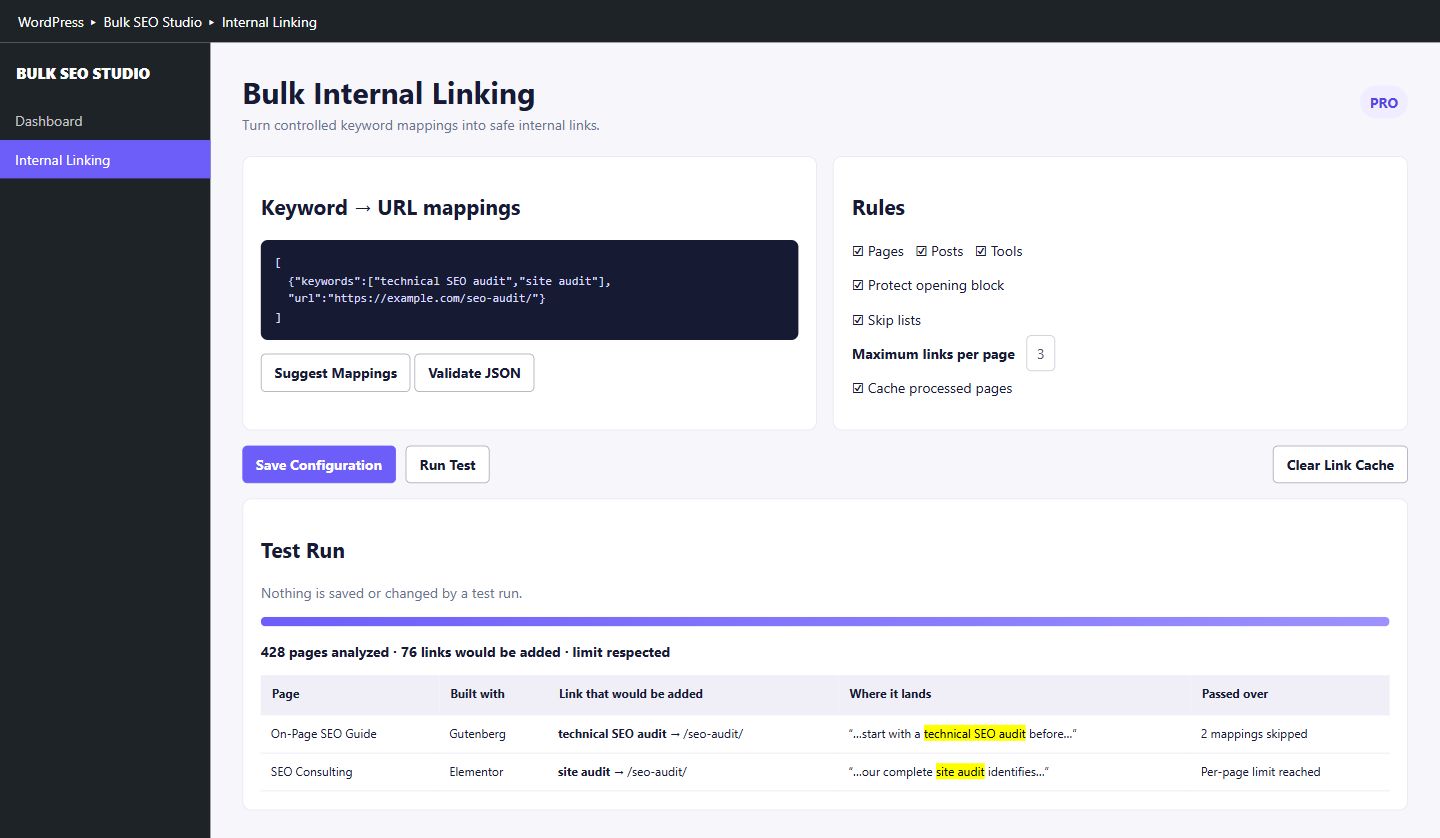
Yes. A render-time workflow can match approved keywords to target URLs while WordPress builds the public page. The stored post content remains unchanged. Bulk SEO Studio lets you review mappings, protect unsafe contexts, run a read-only Test Run, set limits, enable approved placement, and remove generated links by disabling the workflow or removing a mapping.
Stored content and rendered output are different layers
A traditional internal-linking project opens each post and inserts anchor markup into the saved body. That approach is direct, but it also mixes link implementation with editorial content. A render-time system keeps the source content intact and applies controlled links only when a visitor-facing page is generated.
This separation is useful when a team wants to test a campaign, apply a shared mapping across many posts, or remove generated links without searching through stored blocks. It does not remove the need for editorial judgment. The keyword, destination, page scope, placement limits, and exclusions still need approval.
How the controlled mapping works
| Layer | What it controls | What to review |
|---|---|---|
| Mapping | Approved keyword or phrase and target URL | Intent match and destination ownership |
| Scope | Eligible post types and pages | Templates, archives, and excluded content |
| Protection | Contexts where insertion is not allowed | Existing links, headings, buttons, tables, navigation |
| Limits | Maximum generated links per page or mapping | Natural frequency and repetition |
| Test Run | Read-only placement report | Exact context, passes, skips, and limits |
| Rendered output | Links visible to visitors | Live HTML and cache behavior |
Step-by-step workflow
1. Build a keyword-to-URL map
Use one clear destination for each approved keyword group. Avoid mapping several pages to the same phrase unless the rules make the intended destination unambiguous. Self-links should remain excluded.
2. Choose a narrow initial scope
Start with representative posts rather than the complete site. Include different content lengths and block patterns so the review exposes edge cases before expansion.
3. Protect unsafe contexts
Existing anchors, headings, navigation, tables, buttons, interactive controls, reusable templates, and other risky areas should not receive generated links. Optional protections can also exclude lists and the opening content block.
4. Set conservative placement limits
A valid mapping does not mean every occurrence should become a link. Per-page and per-keyword limits prevent repeated anchors from overwhelming the article or making the pattern look mechanical.
5. Run Test Run before enabling
Bulk SEO Studio Test Run renders published pages as a visitor would see them, but it does not change content. Review the proposed anchor, destination, surrounding words, skip reason, and limit result.
6. Enable and clear the relevant caches
After approval, save the configuration and enable the workflow. The link-cache version changes when settings are saved. Page, server, optimization, and CDN caches may still need purging depending on the site stack.
7. Verify live HTML and destination quality
Inspect representative pages as a visitor and in source or developer tools. Confirm the correct anchor, URL, rel behavior, placement context, and absence of unwanted self-links or duplicates.
When direct content editing is still better
- A contextual sentence needs rewriting so the link reads naturally.
- The link is a permanent editorial citation that should travel with exported content.
- A page needs a unique anchor that should not be managed by a shared mapping.
- The placement depends on visual layout or a custom interactive component.
- The target relationship cannot be expressed safely through deterministic keyword rules.
Removal and recovery
Because generated links are applied at render time, removing the mapping or disabling the feature removes the generated output after relevant caches clear. This differs from stored-content insertion, where every edited post must be reversed or restored. Keep the approved map and verification sample as part of the campaign record.
Related resources
- Bulk Internal Linking feature
- Internal Linking documentation
- Preview internal links before enabling
- Internal linking guide hub
Frequently asked questions
Does render-time internal linking change post_content?
No. Generated links are applied to eligible rendered output rather than inserted permanently into the stored post body.
Can I preview exact placements?
Yes. Test Run reports proposed placements and context without changing content.
Are headings and existing links protected?
Yes. Documented protected contexts include existing links, headings, navigation, tables, buttons, and interactive areas.
How do I remove generated links?
Remove the mapping or disable the feature, then clear relevant caches.
Does this replace editorial internal linking?
No. Use direct editorial links when the sentence, citation, or unique context should be stored with the article.
Test internal-link placements before enabling them
Build approved mappings, inspect exact context, and keep the stored WordPress content intact.
Explore Bulk Internal LinkingFirst-party product evidence