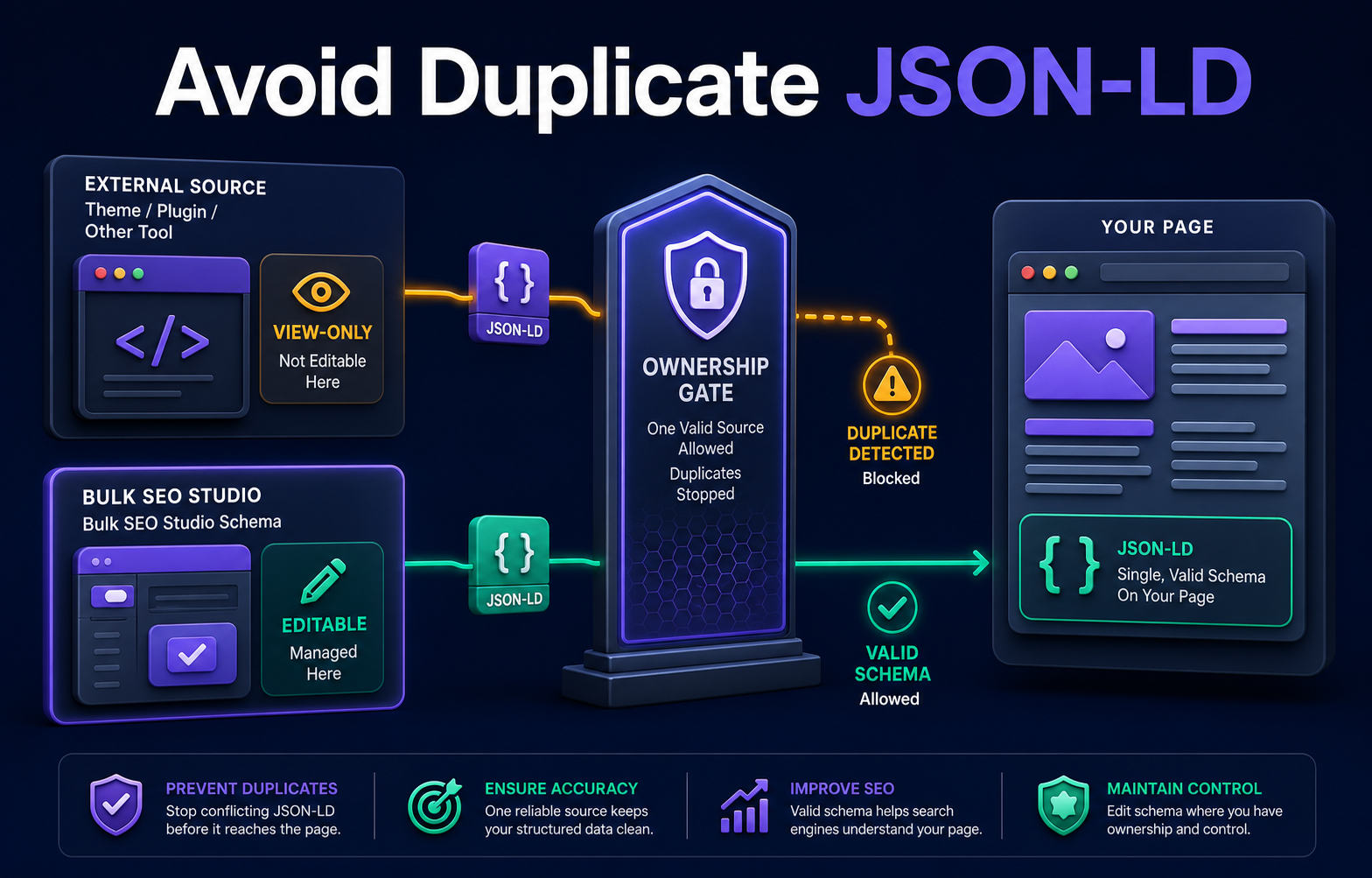
Product behavior and external claims reviewed August 29, 2026. Review methodology.
Inspect the rendered page to identify every JSON-LD source, assign one owner for each schema responsibility, keep schema emitted by other plugins or the theme view-only, prevent conflicting same-type blocks, Preview the final output, and validate representative live URLs after clearing caches.
Duplicate schema is usually an ownership problem
WordPress can emit structured data from an SEO plugin, a schema plugin, the theme, ecommerce software, custom code, a page builder, or a tag manager. Adding another valid block can create conflicting entities even when each individual JSON document parses correctly.
The safest question is not simply whether a schema type exists. Ask which system owns that type, where its values come from, and how it is updated or removed. One page can legitimately contain several schema types, but competing owners should not describe the same responsibility with inconsistent values.
Audit the live page before adding schema
| Check | Why it matters | Evidence |
|---|---|---|
| Rendered JSON-LD blocks | Shows what search engines can receive | Page source or rendered DOM |
| Publisher and organization IDs | Reveals duplicate entities | @id and linked entity references |
| Primary page type | Finds competing Article, Product, FAQ, or LocalBusiness blocks | @type values |
| Data source | Identifies the owner | Plugin marker, theme output, code location |
| Visible-content match | Prevents unsupported claims | Page copy, product data, author data |
| Cache state | Avoids validating stale markup | Fresh uncached response |
A safe ownership workflow
1. Inventory every source
Check the active Rank Math configuration, other schema plugins, theme options, custom snippets, Elementor widgets, ecommerce output, and tag-manager injections. Inspect more than one URL because templates can differ.
2. Assign one owner per responsibility
Decide which system owns organization data, breadcrumbs, article data, product data, FAQ data, and any page-specific custom schema. Document the owner before implementation.
3. Treat external schema as view-only
Bulk SEO Studio detects live JSON-LD from other systems for reference but does not import it into editable storage. That boundary prevents a detected block from becoming a second copied block.
4. Add only plugin-owned schema
Create a new block only when Bulk SEO Studio is the approved owner for that responsibility. Use values supported by visible content and the actual page type.
5. Resolve same-type conflicts in Preview
Review the proposed output and any existing schema of the same type. If another system owns it, change that owner or do not add the new block.
6. Publish a small representative batch
Test pages from each relevant template and content type. Store pre-write backups and keep the batch visible in History.
7. Validate rendered output
Inspect the public page after caches clear. A validator can confirm syntax and many required properties, but ownership, duplication, and visible-content accuracy still require human review.
Common duplicate-schema patterns
- Rank Math and a separate schema plugin both emit Article data.
- A theme emits breadcrumbs while an SEO plugin emits another BreadcrumbList.
- WooCommerce product schema is duplicated by a custom Product block.
- FAQ schema remains active after the visible FAQ section is removed.
- A copied custom snippet uses the same Organization entity on every site.
- Cached markup makes an old block appear alongside its replacement.
What Bulk SEO Studio owns
Bulk SEO Studio can edit, Preview, back up, and undo schema blocks it created and marked as plugin-owned. External JSON-LD remains visible for conflict review but is not edited in its original storage. If Rank Math owns a block, manage that block in Rank Math or deliberately transfer ownership before creating a replacement.
Related resources
- Bulk Schema feature
- Schema ownership documentation
- Add schema to multiple WordPress pages
- Schema and JSON-LD guide hub
Frequently asked questions
Can a page contain more than one JSON-LD block?
Yes. Multiple complementary blocks can be valid. The problem is conflicting or redundant ownership of the same entity or responsibility.
Does Bulk SEO Studio edit Rank Math schema?
External schema is detected for reference and remains view-only. Bulk SEO Studio edits only blocks it owns.
Will a schema validator find every duplicate?
No. Validators focus on syntax and eligibility. Review entity IDs, meaning, ownership, and visible-content consistency manually.
Should I disable all schema except one plugin?
Not necessarily. Assign ownership by schema responsibility and remove only redundant or conflicting output.
Can schema changes be undone?
Plugin-owned supported changes create backups and can be restored through History.
Keep schema ownership explicit
Detect live JSON-LD, prevent same-type conflicts, and manage only the blocks Bulk SEO Studio owns.
Explore Bulk SchemaFirst-party product evidence