
Product behavior and external claims reviewed August 29, 2026. Review methodology.
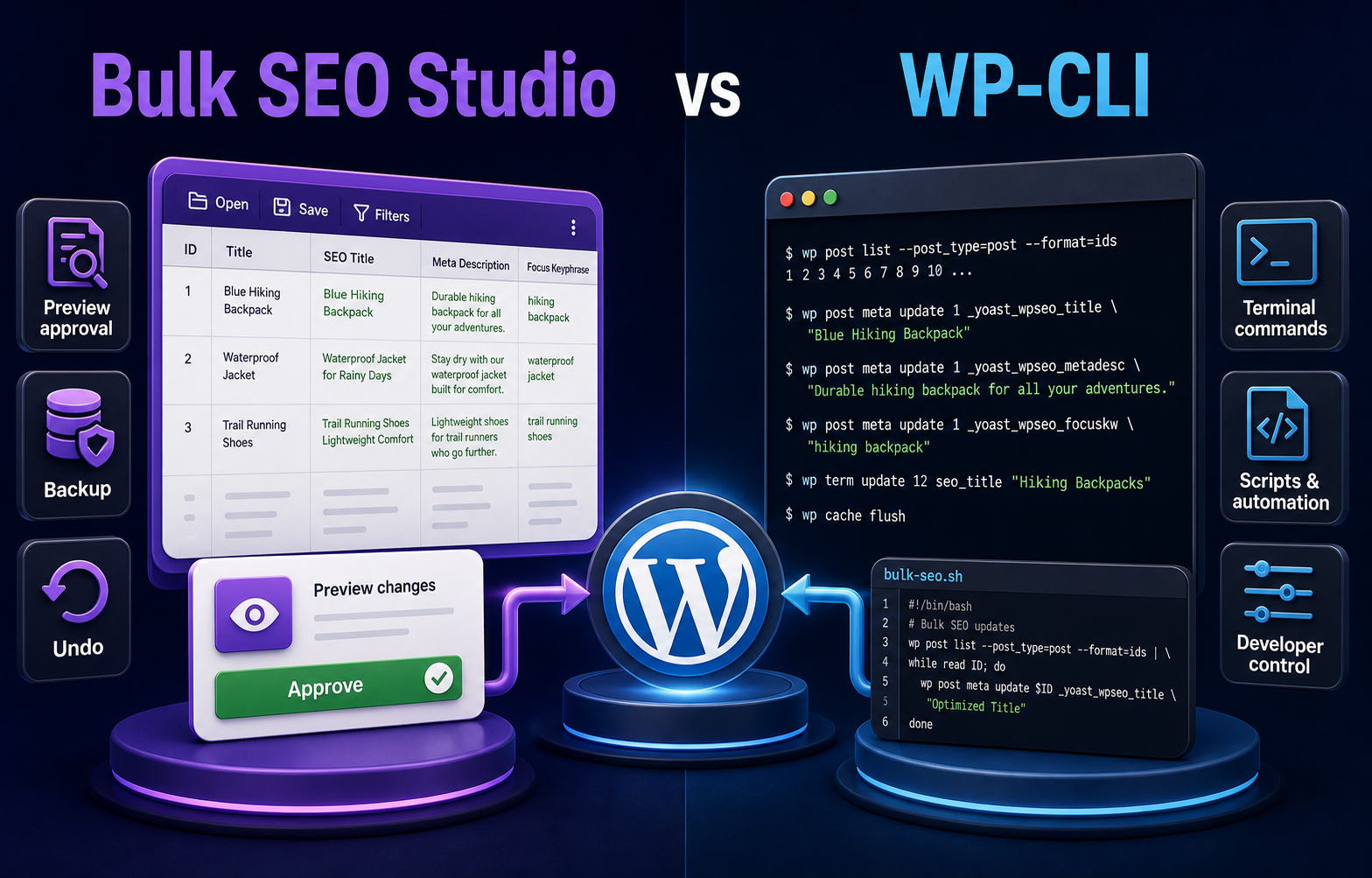
Use Bulk SEO Studio for documented supported fields when marketers, operators, or agencies need a visual grid, mandatory Preview, storage-aware handlers, backups, History, and Undo. Use WP-CLI when a developer needs programmable control, repeatable deployment automation, or a unique operation and can design the dry run, storage logic, logging, testing, and rollback.
These tools solve different parts of the workflow
WP-CLI is a command-line interface for administering WordPress. It is intentionally flexible and can be extended with shell scripts, PHP, packages, and WordPress APIs. Bulk SEO Studio is a focused implementation interface for supported SEO metadata, headings, internal links, schema, and spreadsheet-driven work.
The comparison is not visual interface versus good engineering. Either workflow can be safe or unsafe depending on design. The practical difference is which safeguards and storage handlers are already part of the product and which ones the developer must create for the project.
Side-by-side comparison
| Requirement | Bulk SEO Studio | WP-CLI |
|---|---|---|
| Primary operator | SEO team, content operator, agency, developer | Developer or technical operator |
| Scope selection | Scan, filters, pasted URLs, mapped CSV | Commands, queries, IDs, files, or scripts |
| Current-value review | Spreadsheet-style grid | Command output or custom report |
| Before-and-after approval | Mandatory field-level Preview | Must be scripted or reviewed externally |
| Storage handling | Documented supported adapters | Developer must use correct APIs and keys |
| Automation | Controlled product workflows | Highly programmable and composable |
| Backups and recovery | Pre-write snapshots, History, Undo | Must be designed and tested |
| Unique fields | Limited to supported behavior | Can address custom requirements |
| Maintenance | Product updates maintain supported adapters | Script owner maintains compatibility |
When Bulk SEO Studio fits better
- Approved SEO values already exist in a spreadsheet or audit.
- A reviewer needs to compare current and proposed values visually.
- Non-developers must operate the workflow without direct server access.
- The job fits documented metadata, heading, internal-linking, schema, or recovery features.
- Page-level backups and Undo should be available without building a custom system.
- Uncertain mappings should be skipped rather than inferred.
When WP-CLI fits better
- The work is part of a deployment pipeline or repeatable engineering automation.
- A custom post type or field is outside documented product support.
- The developer needs conditional logic that a standard interface does not expose.
- The operation must integrate with version-controlled scripts, CI, or infrastructure tooling.
- A staging environment and technical owner are available for testing and rollback.
- The team already maintains storage-aware commands for its exact plugin stack.
What a safe WP-CLI SEO script needs
A dry run
Print the post ID, URL, field, current value, and proposed value without writing. Review the complete scope before adding an update command.
Storage-aware updates
Use WordPress or plugin APIs where practical. Do not assume Rank Math, Yoast, AIOSEO, SEOPress, Slim SEO, and The SEO Framework store interchangeable metadata.
Idempotency and conflict checks
A repeated command should not corrupt data or create duplicates. Compare the expected current value when concurrent editorial work is possible.
Backups and rollback
Capture immutable pre-write values with a batch identifier. Test the restore operation before production execution.
Chunking, logs, and exit behavior
Large jobs should expose completed, skipped, failed, and retryable rows. A process interruption must not make completed work indistinguishable from pending work.
Rendered-output verification
Database values are not the complete result. Check public metadata, heading output, JSON-LD, links, and caches after the command finishes.
A hybrid workflow can be practical
Use WP-CLI to prepare a URL inventory, inspect custom data, or support deployment tasks, then use Bulk SEO Studio for supported human-reviewed changes. Alternatively, use Bulk SEO Studio for the common batch and reserve WP-CLI for documented exceptions. Keep one owner for each write so the workflows do not overwrite each other.
Related resources
Frequently asked questions
Does Bulk SEO Studio replace WP-CLI?
No. Bulk SEO Studio focuses on controlled SEO implementation for supported workflows. WP-CLI remains a broad development and administration tool.
Is WP-CLI unsafe for metadata updates?
No. It can be safe when the command uses correct storage APIs, a reviewed dry run, backups, logs, testing, and rollback.
Can non-developers use WP-CLI?
They can be trained, but command-line access and error recovery usually require a technical owner.
Which option supports custom fields better?
WP-CLI can be coded for unique fields. Bulk SEO Studio intentionally limits writes to documented supported behavior.
Can the tools be used together?
Yes. Separate ownership clearly and use each tool for the part of the implementation it handles best.
Use a visual workflow for supported SEO changes
Load approved URLs, inspect current and proposed values, Preview every field, and keep backups available.
Explore Bulk SEO Studio