
Product behavior and external claims reviewed August 29, 2026. Review methodology.
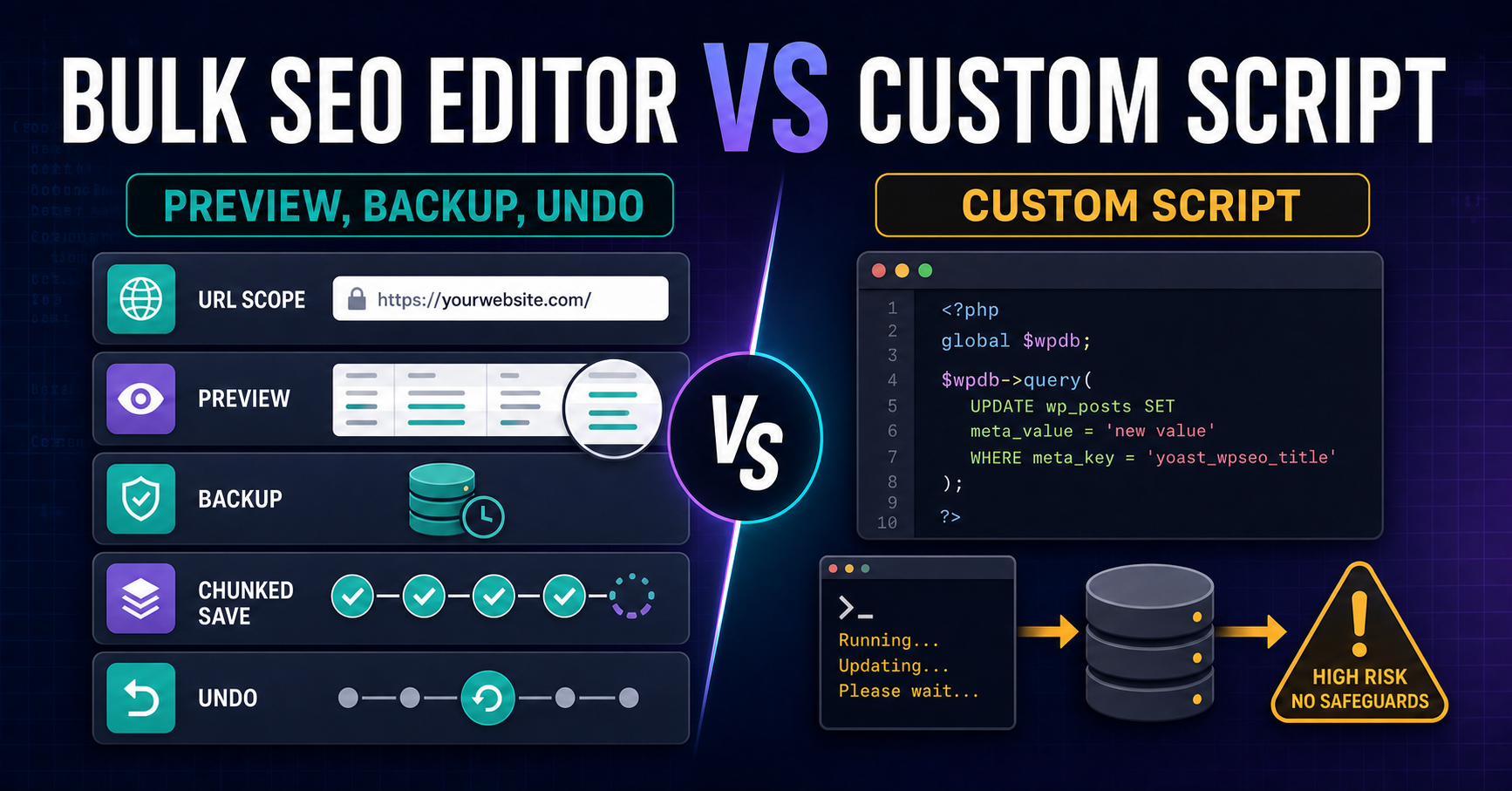
Use a purpose-built editor when the job fits its supported fields and you need repeatable URL scoping, current-value review, Preview, backups, chunked writes, reporting, and Undo. A custom script can be appropriate for a well-defined one-off migration when an experienced developer understands every storage system and builds testing, logging, and rollback into the operation.
A script is not automatically unsafe
Custom code can be precise and effective. The risk appears when a quick database update is treated as a complete implementation workflow. WordPress SEO data may live in core posts, plugin metadata, block markup, Elementor JSON, custom tables, or render-time systems. Directly updating one table can bypass application logic, serialized structures, caches, and recovery records.
Comparison by implementation requirement
| Requirement | Custom script | Controlled bulk editor |
|---|---|---|
| Storage knowledge | Must be coded for every source | Provided for documented supported handlers |
| Scope | Developer-defined query or file | Filters, scans, and pasted URLs |
| Before-and-after review | Must be built | Mandatory Preview |
| Backups | Must be designed and stored | Created before supported writes |
| Batching | Must be implemented | Chunked save workflow |
| Error reporting | Depends on logging | Skipped, failed, and completed results |
| Rollback | Requires a tested reverse operation | History and Undo for supported writes |
| Maintenance | Code changes as plugins and storage change | Product adapters maintained for confirmed integrations |
When a custom script may be appropriate
- A one-time migration uses a unique field not supported by an available tool.
- A developer can test against a staging copy with representative production data.
- The storage owner and serialization format are fully understood.
- The operation includes a dry run, immutable backup, logging, idempotency, and rollback.
- The script will not be presented as a reusable editor without maintenance ownership.
Safeguards a production script should include
Dry-run output
List exact post IDs, URLs, fields, current values, and proposed values without writing. The dry run should be reviewable by someone other than the script author.
Storage-aware adapters
Use WordPress and plugin APIs where practical. Avoid assuming different SEO plugins use interchangeable keys or formats.
Immutable pre-write backups
Record the prior value before each change and keep a batch identifier that connects the write with its recovery data.
Chunking and resumability
Large operations should not depend on one long request. Completed chunks, failures, and retry state need to remain distinguishable.
Post-write verification
Validate stored data and public output. Clear only the relevant caches and compare expected versus observed results.
Why a controlled editor can reduce repeated engineering
A purpose-built workflow packages common safeguards into a reusable interface. It also exposes the write boundary to non-developers: proposed values are staged, Preview is required, and uncertain matches are skipped. This can reduce one-off scripting for ordinary metadata, supported headings, internal-link mappings, and plugin-owned schema projects.
Related implementation resources
- Bulk SEO Editor
- Preview, backup, History, and Undo
- Confirmed SEO plugin compatibility
- Safe bulk SEO editing
Frequently asked questions
Is a direct SQL update safe for SEO metadata?
It can bypass plugin logic, serialization, caches, and rollback records. Use it only with complete storage knowledge, testing, backups, and verification.
Can Bulk SEO Studio edit every WordPress field?
No. It intentionally supports documented fields and skips uncertain or unsupported storage.
Is a custom script better for a unique migration?
It may be when the migration is outside supported product behavior and an experienced developer owns testing and rollback.
Does Preview replace staging?
No. Preview reduces write risk, but staging remains valuable for large or structurally sensitive projects.
Which option needs less maintenance?
A supported product workflow generally reduces project-specific code maintenance. Custom scripts require an owner when WordPress or plugin storage changes.
Use a reusable workflow for supported SEO implementation
Scope URLs, stage approved values, inspect Preview, and keep backups and Undo available.
Explore Bulk SEO Editor