
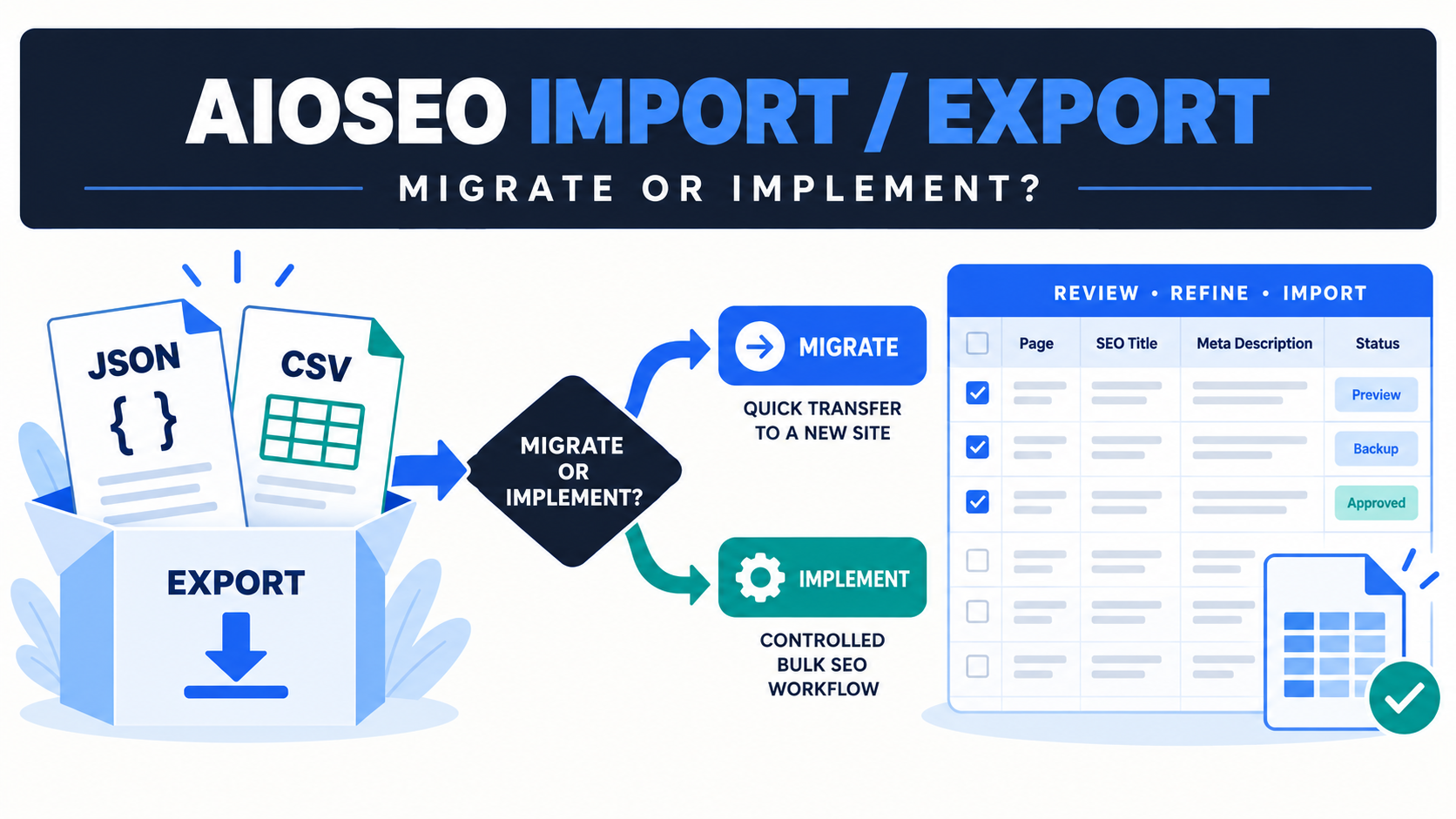
Use AIOSEO’s native tool when you need to move supported AIOSEO settings or content metadata in its own export format. Use Bulk SEO Studio when the work starts with a reviewed URL list or spreadsheet and you need to stage supported edits, compare current and proposed values, approve fields, save in chunks, and retain History and Undo for supported writes. The two workflows can complement each other.
Why these tools solve different jobs
All in One SEO documents a native Import/Export screen for moving settings and SEO metadata. Its current documentation says content metadata can be exported as JSON or CSV, and CSV can be edited in a spreadsheet before being imported again. See AIOSEO’s Importing and Exporting Settings and Meta Data documentation.
That makes the native tool a logical choice for an AIOSEO-to-AIOSEO transfer or for work designed around AIOSEO’s own export package. A controlled implementation workspace addresses a different operational problem: applying approved changes across a defined URL scope while preserving a review trail and separating supported edits from uncertain ones.
Decision table
| Your job | Best starting point | Why |
|---|---|---|
| Move AIOSEO configuration to another site | AIOSEO native export and import | The plugin owns the settings format and restore process. |
| Export AIOSEO content metadata for spreadsheet editing | AIOSEO CSV export | The export is designed for AIOSEO content data. |
| Apply an approved URL-to-value sheet across supported fields | Bulk SEO Studio CSV workflow | URL matching, mapping, Preview, backups, and result reporting are central to the task. |
| Compare live values before changing anything | Bulk SEO Studio | The current and proposed values are reviewed together before confirmation. |
| Migrate from another SEO plugin into AIOSEO | AIOSEO migration/import tools first | The destination plugin should own conversion into its storage model. |
| Coordinate edits across a mixed client portfolio | Controlled implementation workflow | A repeatable review, exception, verification, and recovery process matters more than one plugin export format. |
A safe AIOSEO spreadsheet workflow
1. Decide whether the job is migration or implementation
Migration moves ownership or configuration between systems. Implementation applies approved page-specific changes inside the current system. Do not treat a migration package as a generic editing sheet until you understand which values and settings it contains.
2. Export from the system that owns the data
When AIOSEO owns the metadata, use its documented export path and preserve the untouched source file as a rollback reference. If the objective is a cross-plugin editorial review, create a separate working copy with explicit URL identity and only the columns the reviewers need.
3. Keep URL identity stable
Avoid sorting or rewriting URLs in a way that removes protocol, path, or trailing-slash distinctions. Add a review status column instead of deleting rows that should not change.
4. Review proposed values outside WordPress
Editors can approve copy in a spreadsheet, but the spreadsheet is not proof of the live storage owner or rendered output. Keep approval, implementation, and live verification as separate stages.
5. Preview before writing
In Bulk SEO Studio Pro, map only documented supported columns, resolve unmatched URLs, and inspect the complete Preview. A blank cell should never be assumed to mean delete unless that exact action is intended and supported.
6. Save a representative batch
Start with a small set that includes each content type, template, and edge case. Supported writes create pre-write snapshots and report completed, skipped, and failed results.
7. Verify public output
Check source metadata and representative search-facing pages after clearing relevant caches. A saved database value and a verified public result are related but not identical checks.
What Bulk SEO Studio does not claim
- It does not replace AIOSEO or another compatible SEO plugin.
- It does not convert every possible AIOSEO setting or taxonomy value.
- It does not accept a native XLSX workbook. Save a supported working sheet as CSV.
- It does not treat unknown columns as safe write targets.
- It does not guarantee that Google will display the supplied title or description.
Related resources
- Bulk edit supported AIOSEO metadata
- CSV import and export workflow
- SEO plugin compatibility
- Compare Free and Pro
Sources
Frequently asked questions
Can AIOSEO export SEO metadata as CSV?
Yes. Its official documentation describes JSON and CSV content exports and recommends CSV when you want to edit metadata in a spreadsheet.
Does Bulk SEO Studio replace AIOSEO import and export?
No. The native tool is appropriate for AIOSEO-owned packages and settings. Bulk SEO Studio adds a controlled implementation workflow for documented supported fields.
Can I upload an Excel workbook directly?
No. Save the approved working sheet as CSV before mapping supported columns.
Should I import an entire spreadsheet at once?
Use a representative test batch first, review Preview, verify public output, and then expand the scope.
Can either workflow guarantee Google snippets?
No. Google may create snippets from page content or use a meta description when it better represents the page.
Turn an approved spreadsheet into a reviewable batch
Map supported fields, inspect Preview, save with backups, and keep exceptions visible.