
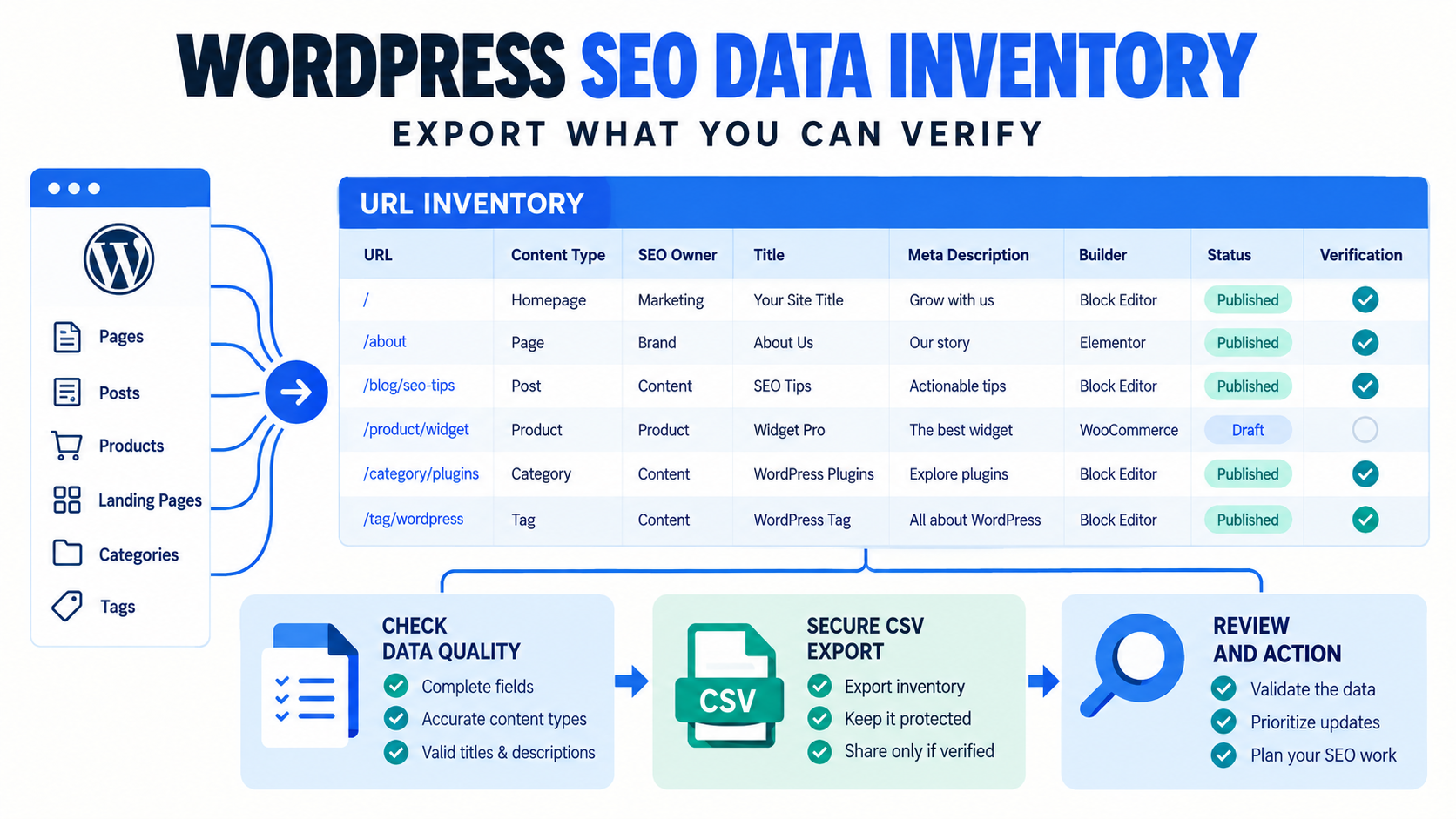
At minimum, include the canonical URL or stable page identity, content type, publication status, builder, active SEO metadata owner, page title, SEO title, meta description, H1 condition, canonical URL, review status, approved action, and verification notes. The inventory should distinguish observed data from proposed changes.
Why a URL list alone is not an SEO inventory
A URL list tells you where pages are. It does not tell you which system owns the metadata, whether the page is published, which builder stores the headings, what the current values are, or whether a proposed change was approved and verified. Those missing details create implementation risk when a spreadsheet moves between strategists, editors, developers, and clients.
The strongest inventory acts as a handoff contract: it preserves identity, records the observed state, separates proposed values, and leaves evidence of what happened after publication.
Download the WordPress SEO data inventory template
Recommended columns
| Column | Purpose | Common failure it prevents |
|---|---|---|
| URL | Stable page identity and matching | Applying approved copy to the wrong page. |
| Content type | Page, post, product, or supported custom type | Mixing templates and owners in one unchecked batch. |
| Post status | Published, draft, private, or other state | Editing content that is not part of the live scope. |
| Builder | Gutenberg, Classic, Elementor, or another system | Treating builder-owned headings as generic HTML. |
| SEO owner | Rank Math, Yoast, AIOSEO, another supported plugin, or unknown | Writing through the wrong metadata system. |
| Current page title | Observed WordPress title | Confusing core titles with SEO titles. |
| Current SEO title | Observed search title field | Reviewing proposed copy without its starting value. |
| Current meta description | Observed description field | Missing duplicates, blanks, or stale copy. |
| H1 count | Deterministic review condition | Assuming every page has exactly one editable content H1. |
| Canonical URL | Declared preferred URL | Ignoring consolidation or migration decisions. |
| Review status | Needs review, approved, hold, or excluded | Using row deletion as the only approval control. |
| Approved action | Exact intended change | Treating every non-empty cell as permission to write. |
| Verification notes | Observed post-write outcome | Closing the task before checking public output. |
Build the inventory in seven stages
1. Define the implementation scope
Choose the post types, statuses, folders, sitemap segments, or approved URL list that belong to this project. A sitewide crawl is useful for discovery, but an implementation inventory should still have an explicit boundary.
2. Preserve stable identity
Keep the full canonical URL and, when available, the WordPress post ID. Do not use a page title as the only key because titles can repeat and change.
3. Record the storage owner
The same visible field can be stored by WordPress core, an SEO plugin, a page builder, a template, or custom code. Record the owner instead of assuming every value is interchangeable.
4. Separate current and proposed values
Never overwrite the observed state in the review sheet. Use adjacent proposed columns or a protected source tab so reviewers can compare the change and recover context when questions appear.
5. Add approval and exception fields
A row can be approved, held, excluded, unmatched, unsupported, or already correct. These states are operational data, not comments that should disappear during CSV export.
6. Export the smallest useful dataset
WordPress’s REST API supports field selection with the _fields parameter, which can reduce unnecessary response data when building custom inventories. See WordPress REST API global parameters. Bulk SEO Studio can export the filtered workspace as protected UTF-8 CSV. Use the route that matches your data owner and workflow.
7. Verify after implementation
Record the public URL, response status, rendered metadata, heading behavior, schema ownership, cache state, and any exception. A completed import is not the same as a verified result.
Inventory versus backup
A CSV inventory is not a complete WordPress backup. It may capture selected content and SEO fields, but it does not necessarily include templates, plugin settings, media, database relationships, or every storage format. Keep platform and hosting backups appropriate to the change risk. Bulk SEO Studio also stores pre-write snapshots for supported writes, which supports field-level recovery inside its documented boundary.
How Bulk SEO Studio fits
- Scan configured public post types or load an approved URL list.
- Review WordPress titles, statuses, compatible SEO metadata, builders, and supported headings in one workspace.
- Filter the workspace and export current data to UTF-8 CSV.
- In Pro, map approved supported CSV columns back into the editor.
- Inspect complete Preview before saving.
- Create snapshots before supported writes and report completed, skipped, and failed rows.
- Verify the live result and use History or Undo when recovery is needed.
Related resources
- WordPress SEO CSV import and export
- Export WordPress SEO data to Google Sheets
- SEO agency spreadsheet workflow
- Bulk Editor documentation
Sources
- WordPress REST API: Posts endpoint
- WordPress REST API: Global parameters
- Google Search Central: SEO guide for developers
Frequently asked questions
Is a CSV export a complete WordPress backup?
No. It is a structured inventory of selected fields, not a complete database, file, template, and settings backup.
Should I include draft pages?
Include them only when they are in the approved project scope, and preserve their status so they are not confused with live URLs.
Can I use titles as the row identifier?
No. Titles can repeat or change. Use the full URL and, when available, the WordPress post ID.
Can Bulk SEO Studio import XLSX files?
No. Save the working sheet as a supported CSV before mapping approved columns in Pro.
What should happen to unsupported rows?
Keep them visible as exceptions and route them to the system or specialist that owns the field. Do not force uncertain writes.
Turn the inventory into a controlled implementation batch
Export current values, review approved changes, map supported columns, Preview, save, and verify.