
Product behavior and external claims reviewed August 29, 2026. Review methodology.
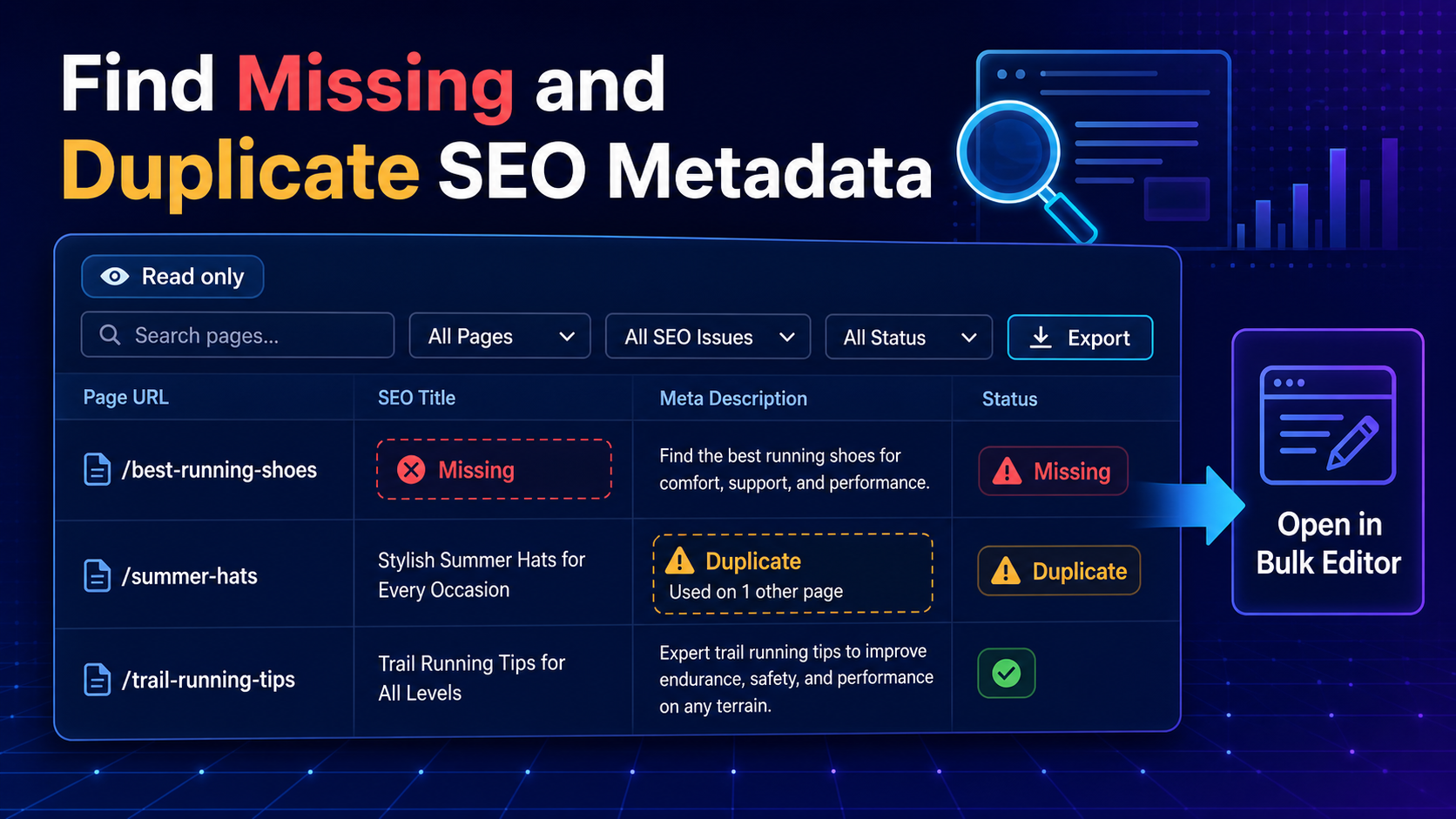
Missing and duplicate metadata are implementation defects you can identify deterministically. The useful output is not a vague site score. It is a reproducible list of affected URLs, fields and matching values that a reviewer can verify.
Important: Find & Fix is read-only. It identifies configured issue types, exports results and hands selected URLs to Bulk Editor. It does not write fixes or replace a broader technical SEO review.
What the scan can flag
- Missing SEO titles
- Exact normalized duplicate SEO titles
- Titles outside configured minimum and maximum thresholds
- Missing meta descriptions
- Exact normalized duplicate meta descriptions
- Descriptions outside configured thresholds
- Missing or multiple H1 headings
Step-by-step workflow
1. Choose scan scope
Select public post types, statuses and either all matching content or a controlled URL list.
2. Run the batched scan
The scan processes content in batches and can resume after interruption.
3. Open one issue type at a time
Separate missing, duplicate and threshold findings so each group receives the correct review decision.
4. Inspect duplicate groups
Confirm whether repeated text is genuinely inappropriate. Some templated pages may intentionally share conventions, but exact duplicates still deserve review.
5. Export or select URLs
Download issue data or the complete SEO snapshot, or select affected rows for Bulk Editor.
6. Reload live values before editing
Bulk Editor reloads current data so implementation does not rely on a stale scan snapshot. Preview and approve the final changes before saving.
Thresholds are triage rules
A short or long flag means the value crossed your configured review threshold. It does not prove the title or description is poor, predict pixel truncation, or guarantee how a search engine will display it. Use the flag to prioritize human review.
A sensible remediation order
- Fix missing values on strategically important indexable URLs
- Review duplicate groups and assign distinct intent where appropriate
- Check titles and descriptions against current page content
- Implement approved replacements through Preview
- Re-scan to confirm deterministic findings are resolved
Related implementation resources
Frequently asked questions
Does Find & Fix change metadata?
No. It is a read-only scanner.
How are duplicates identified?
The scan uses deterministic normalized value comparisons rather than subjective similarity scoring.
Are short and long flags SEO errors?
No. They are configurable review flags.
Can scan results be edited directly?
Selected URLs can be opened in Bulk Editor, which reloads live values before editing.