
Product behavior and external claims reviewed August 29, 2026. Review methodology.
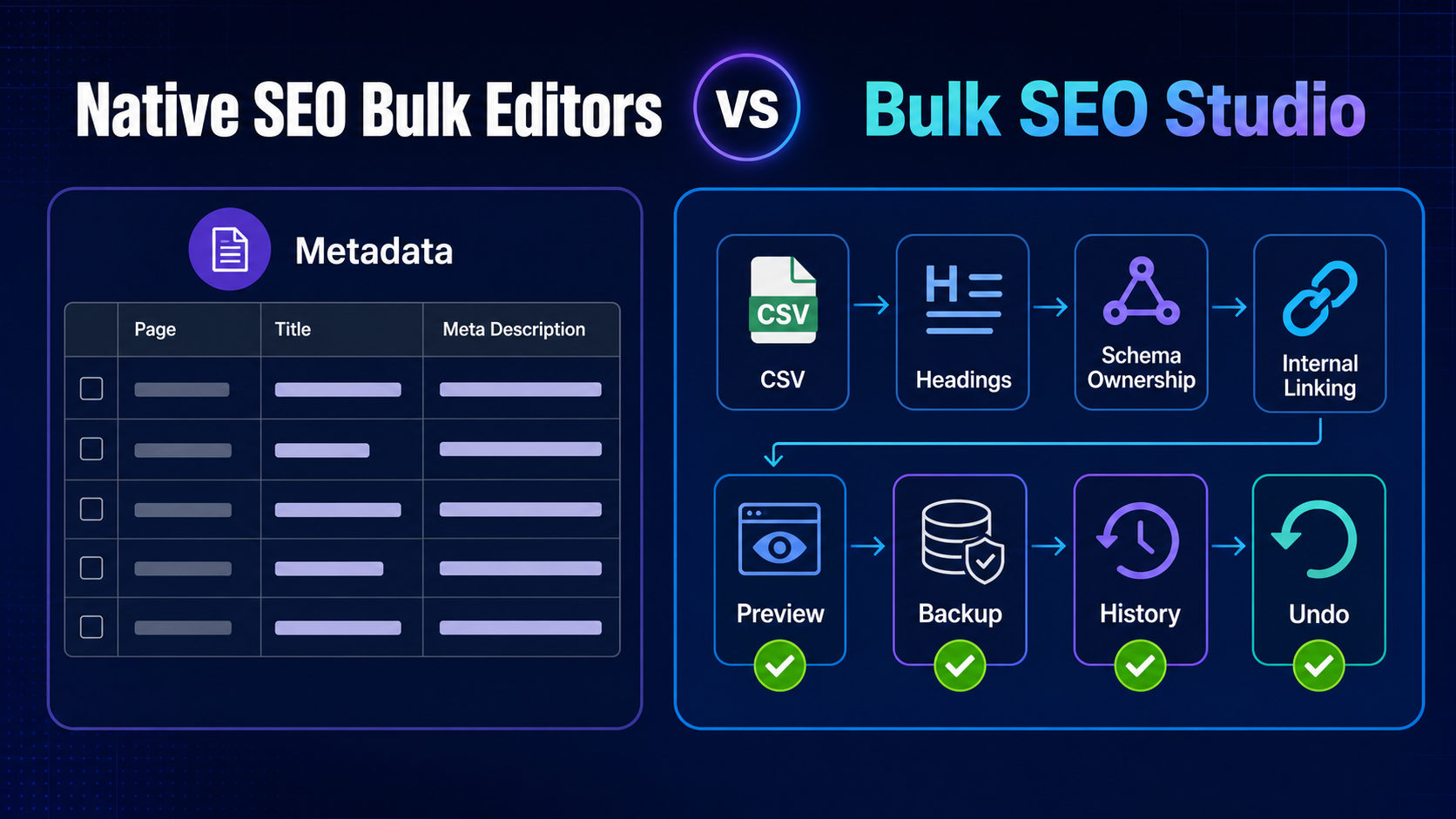
A native SEO plugin bulk editor and Bulk SEO Studio can both reduce page-by-page metadata work, but they are built around different job boundaries. The right choice depends on whether you need a quick edit inside one SEO plugin or a controlled implementation workflow spanning URLs, spreadsheets, headings, schema ownership and internal links.
Important: Keep the compatible SEO plugin active. Bulk SEO Studio is an implementation layer and does not replace site-wide SEO settings or the strategy behind approved values.
When a native bulk editor is enough
Choose the SEO plugin’s own bulk editor when the task is small, the relevant fields are exposed, all work belongs to that plugin and you do not need a separate spreadsheet handoff or batch-recovery process. Staying inside one interface can be the simplest route for a handful of title or description edits.
When the broader workflow matters
Bulk SEO Studio is designed for implementation jobs where teams need to load controlled URL sets, import mapped CSV values, work with supported headings, review a complete before-and-after Preview, create backups before writes, inspect History, undo pages or batches, manage owned schema, or test rendered internal-link placements.
Capability comparison
| Job | Native SEO bulk editor | Bulk SEO Studio |
|---|---|---|
| Edit that plugin’s metadata | Often a strong fit | Supported through verified adapters |
| Mapped CSV implementation | Varies by plugin | Pro supports mapped CSV |
| Supported Gutenberg and Classic headings | Usually outside scope | Supported |
| Mapped Elementor heading widgets | Usually outside scope | Pro support |
| Mandatory complete Preview | Varies | Required before save |
| Backups, History and batch Undo | Varies | Built into supported writes |
| External schema ownership boundary | Controls its own schema | External view-only, owned editable |
| Rendered internal-link Test Run | Usually separate | Included in Pro workflow |
Decision checklist
- Use the native editor for a small, plugin-specific metadata task
- Use Bulk SEO Studio when approved work arrives as a URL list or CSV
- Use Bulk SEO Studio when heading changes require builder-aware handling
- Choose a workflow with Preview and recovery when a mistake would affect many pages
- Do not duplicate schema merely to make an external block editable elsewhere
- Test internal links in rendered context before enablement
Related implementation resources
- SEO plugin compatibility
- Bulk Editor documentation
- Bulk SEO Studio vs WP Sheet Editor
- Safely bulk edit WordPress SEO
Frequently asked questions
Does Bulk SEO Studio replace Rank Math, Yoast or another SEO plugin?
No. Keep the compatible SEO plugin active. Bulk SEO Studio works as a bulk implementation layer.
Is the native bulk editor always more limited?
Capabilities vary by plugin and version. Evaluate the fields, review controls and recovery workflow available for your exact job.
Can Bulk SEO Studio write to every SEO plugin?
Only compatibility verified by a shipped adapter should be claimed. The compatibility page lists the confirmed integrations.
Which option is better for five simple title edits?
A native editor may be the simplest choice. The broader workflow becomes more valuable as scope, fields, builders and recovery needs increase.