
Product behavior and external claims reviewed August 29, 2026. Review methodology.
A WordPress page can emit JSON-LD from an SEO plugin, theme, ecommerce extension, custom code or a dedicated schema tool. Detecting that output proves only that structured data is present. It does not prove which system stores it or that another tool can safely edit it.
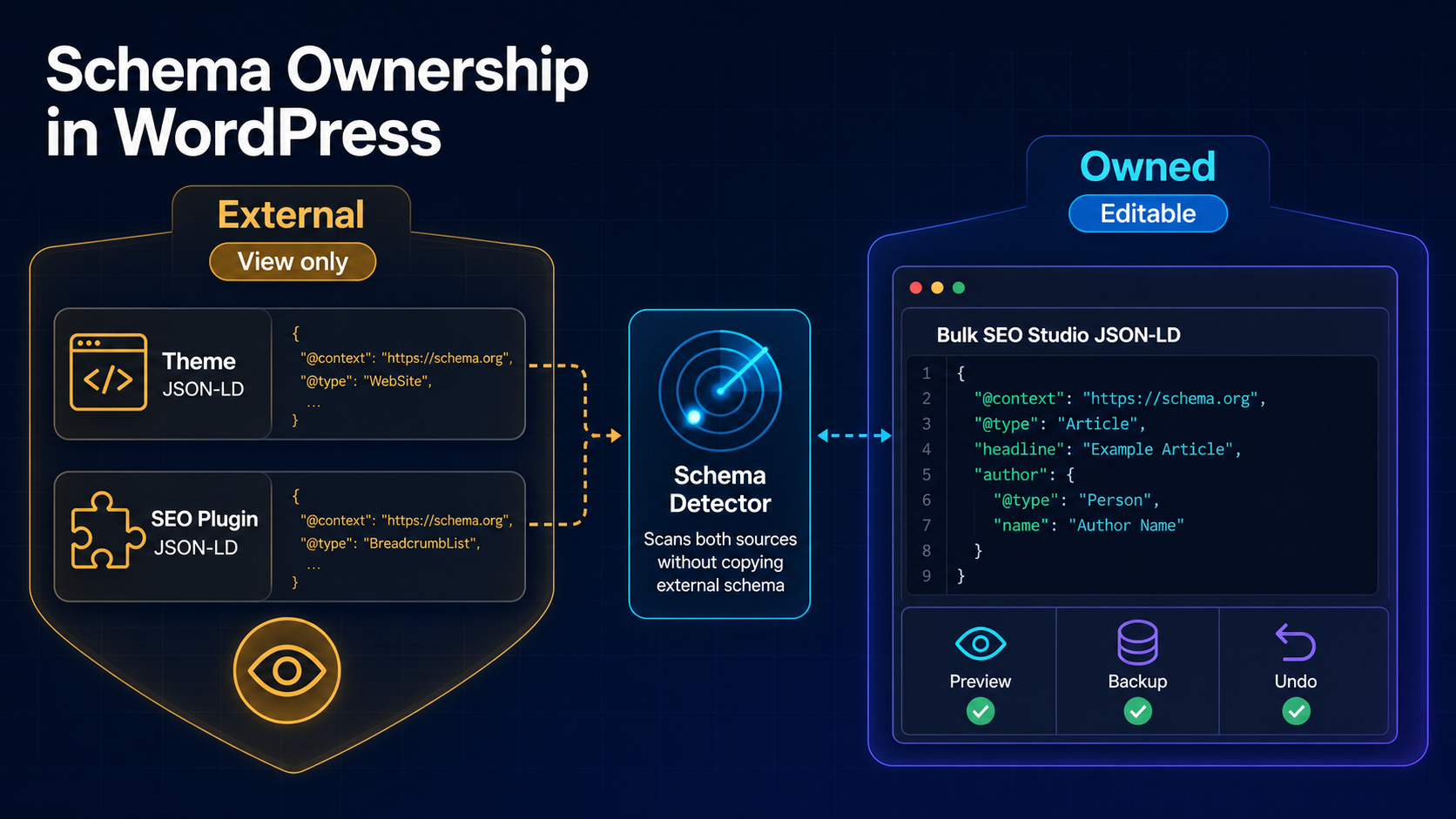
Important: Bulk SEO Studio treats schema from another source as external and view-only. Only schema blocks carrying its ownership marker are editable, previewable, backed up and undoable.
Detection, storage and ownership are different
Detection happens against live page output. Storage may live in post meta, plugin tables, theme settings, blocks or generated code. Ownership identifies the component that can correctly update that storage and preserve its rules. Conflating these layers creates duplicate entities, stale blocks and false confidence about what was changed.
Why importing detected schema is risky
- The original source may continue emitting its own block
- Two Article or Product entities can conflict or disagree
- A copied block can become stale when the source updates
- Undo cannot restore storage controlled by another system
- The editing tool may not understand source-specific validation or defaults
Step-by-step workflow
1. Detect live JSON-LD
Scan the rendered page and inventory every block currently emitted.
2. Identify ownership
Separate external blocks from Bulk SEO Studio owned blocks. External schema remains a reference.
3. Decide whether a new block is necessary
Do not add a second schema type merely because an external block is not editable in this interface. Review what already exists first.
4. Build the complete JSON-LD object
For new owned schema, provide the complete object and validate required properties for its type.
5. Preview conflicts and changes
Review all proposed blocks and resolve same-type conflicts before saving.
6. Save and validate live output
Approved owned blocks save in chunks with backups. Re-scan and validate the public page after caches clear.
CSV does not change the ownership rule
Bulk Schema can import a CSV containing URLs and complete JSON-LD objects. Quoted JSON cells may contain commas. Imported blocks still map to real posts and proceed through Preview. CSV is a transport format, not permission to modify external storage.
Related implementation resources
- Bulk Schema ownership documentation
- Add schema to multiple WordPress pages
- Import JSON-LD schema from CSV
- Bulk Schema feature
Frequently asked questions
Can Bulk SEO Studio edit Rank Math or Yoast schema?
No. It can detect external schema for reference, but it only edits schema it owns.
Why not copy external JSON-LD into an editable block?
Copying can produce duplicate entities while the original source continues to emit its version.
Can owned schema be undone?
Yes. Supported owned-schema writes create backups and appear in History.
Does finding JSON-LD mean it is valid?
No. Detection confirms presence, not completeness, accuracy or eligibility for a rich result.