
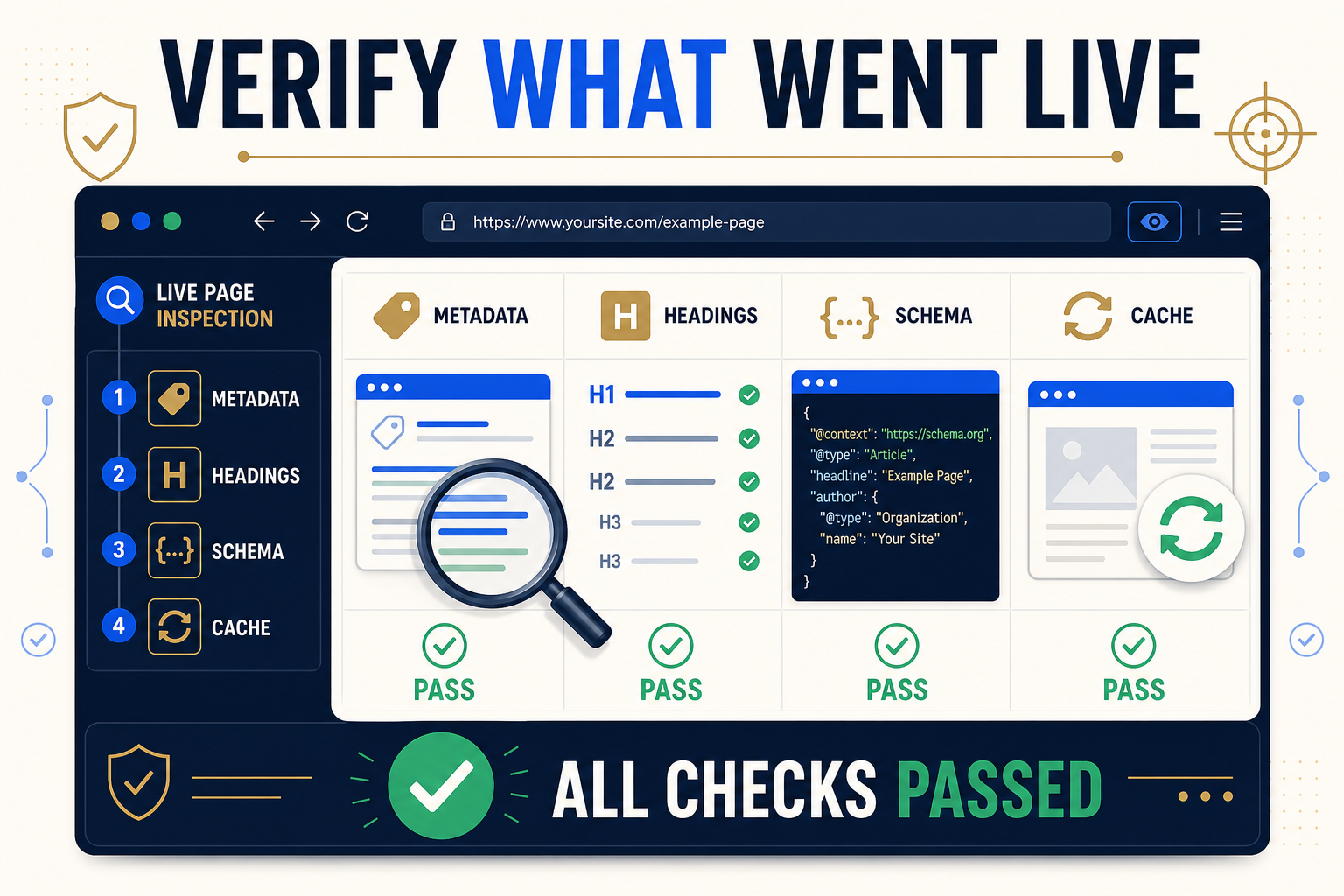
Verify a representative set of URLs in the rendered public output, not only in wp-admin. Check the exact responsibility changed, test multiple templates and devices, inspect relevant source output, clear known cache layers, record pass or fail evidence, and stop the rollout when a systemic issue appears.
QA the output, not just the save response
A successful API or admin response confirms that WordPress accepted a write. It does not prove that visitors and search crawlers receive the intended result. Theme templates, SEO plugins, page builders, server caches, optimization layers, CDNs, and JavaScript rendering can all change or delay public output.
The fastest reliable approach is risk-based sampling. Test a small representative batch before the full rollout, then verify a structured sample after each larger chunk. Reserve a complete URL-by-URL check for high-risk or legally sensitive changes.
Build a representative QA sample
| Dimension | Include in the sample | Why it matters |
|---|---|---|
| Content type | Post, page, product, public custom post type | Storage and templates can differ |
| Builder | Gutenberg, Classic, Elementor where used | Heading and rendered content paths differ |
| Template | Primary, alternate, landing, archive-adjacent | Head and body output can vary |
| SEO integration | Each active metadata source in scope | Field ownership and output hooks differ |
| Cache path | Cached and freshly purged page | Stale output can hide a correct write |
| Change size | Short, long, blank-removal, special characters | Edge cases reveal mapping and encoding problems |
Post-publish QA sequence
1. Confirm the batch record
Record the batch identifier, implementation time, person responsible, fields changed, page count, and any skipped rows. This establishes what should be visible and provides the recovery reference if QA fails.
2. Open a clean public request
Use a logged-out browser or private window so admin state does not hide cache behavior. Check the canonical HTTPS URL and avoid relying only on an Elementor preview or wp-admin field.
3. Verify metadata in rendered HTML
Inspect the final title element, meta description, robots directives, canonical, and relevant social tags. Confirm that only the intended SEO system owns the output. A changed field in the database is not sufficient if another integration produces the public tag.
4. Check visible headings and hierarchy
Read the page at desktop and mobile widths. Confirm the visible wording, H1 uniqueness where intended, logical H2 and H3 relationships, wrapping, spacing, and nearby controls. Do not infer heading semantics from font size alone.
5. Validate schema ownership and syntax
Inspect the JSON-LD emitted on the live page. Confirm that the changed block belongs to the intended system and that another plugin has not produced a conflicting duplicate. Use Google’s Rich Results Test for supported rich-result eligibility and Schema.org’s validator for broader vocabulary checks. A valid block is not a guarantee of a rich result.
6. Test internal-link placement
Check the exact linked phrase, destination, self-link protection, repeated destinations, opening-block rules, excluded areas, and page-level limits. For render-time linking, confirm that disabling or removing the mapping removes the generated link after cache purging.
7. Purge caches methodically
Clear only the layers relevant to the failed observation, then retest. A useful order is Elementor Files and Data where applicable, WordPress page cache, host or server cache, optimization cache, and CDN cache. Document the layer that resolved the discrepancy.
8. Compare against the approved value
Do not judge from memory. Compare public output with the exact approved replacement and note normalization performed by WordPress, the browser, or the SEO plugin. Pay attention to HTML entities, apostrophes, non-ASCII characters, line breaks, and intentionally empty fields.
9. Classify the result
| Result | Meaning | Action |
|---|---|---|
| Pass | Approved value is correctly rendered | Record evidence and continue |
| Stale | Stored value is correct but cached output is old | Purge the responsible layer and retest |
| Partial | Some fields or pages are correct | Pause related chunks and isolate the pattern |
| Skipped | The system refused an uncertain target | Route to manual review |
| Failed | Incorrect public output or damaged layout | Stop, recover if needed, diagnose before continuing |
QA checks by responsibility
- Metadata: title, description, canonical and robots output have the correct owner.
- Headings: text, HTML level, visual hierarchy and responsive wrapping are correct.
- Schema: JSON parses, ownership is clear, required properties are present where applicable, and duplicates are not introduced.
- Internal links: phrase, target, placement exclusions, self-link prevention and link budget behave as approved.
- CSV imports: URL matching, blank handling, character encoding and column mapping produced the intended values.
- Elementor: supported widgets changed correctly, generated files are refreshed, and layouts remain stable at every breakpoint.
When QA should trigger rollback
Rollback is appropriate when the output is wrong and the fastest safe path is restoring the known pre-write state. It is not a substitute for diagnosis. After restoring supported values through History, clear caches, verify the public page again, and record whether every selected field was fully restored.
- A systemic mapping error affects multiple URLs.
- A template or builder layout breaks.
- The wrong plugin or schema owner was changed.
- Blank values removed approved content unexpectedly.
- A cache purge does not reveal the intended output.
- The batch cannot be isolated safely while production traffic continues.
Related resources
- WordPress SEO implementation checklist
- Undo bulk SEO changes
- Cache troubleshooting
- Bulk changes without breaking Elementor
- Safe implementation guide hub
Frequently asked questions
Should every changed URL be checked?
Use complete checking for high-risk changes. For routine batches, test representative URLs before rollout and a structured sample after each chunk.
Why is the old value still visible?
A page, server, optimization, Elementor, browser, or CDN cache may be serving stale output. Clear relevant layers methodically.
Is the Rich Results Test enough for schema QA?
It is useful for Google-supported rich results. Also inspect ownership, duplicates, the live JSON-LD, and broader vocabulary when necessary.
What is the difference between skipped and failed?
Skipped means the tool declined an uncertain operation. Failed means an intended operation or its public result did not complete correctly.
Should QA happen in wp-admin?
Admin checks are useful, but final acceptance must include the rendered public URL.
Sources and verification
- Google Search Central: Structured data documentation
- Google Rich Results Test
- Schema.org Validator
- Elementor: Regenerate CSS and Data
Editorial note: This guide was reviewed against the documented Bulk SEO Studio behavior and the linked validation guidance on 31 August 2026. Validation confirms technical observations, not ranking outcomes.
Verify every batch with evidence
Check representative live pages, isolate cache issues, and keep a clear recovery path before continuing.
Open cache troubleshooting